1. Home
  2. Products
  3. RIROTE VISION

Free · Early version

An AI video studio for your Mac.

Describe the video in chat, or start from a script or a reference video. Then refine it on a timeline and export it. Free to download.

macOS 13 or later · Apple Silicon and Intel · Version 0.1.0 · 7.5 MB

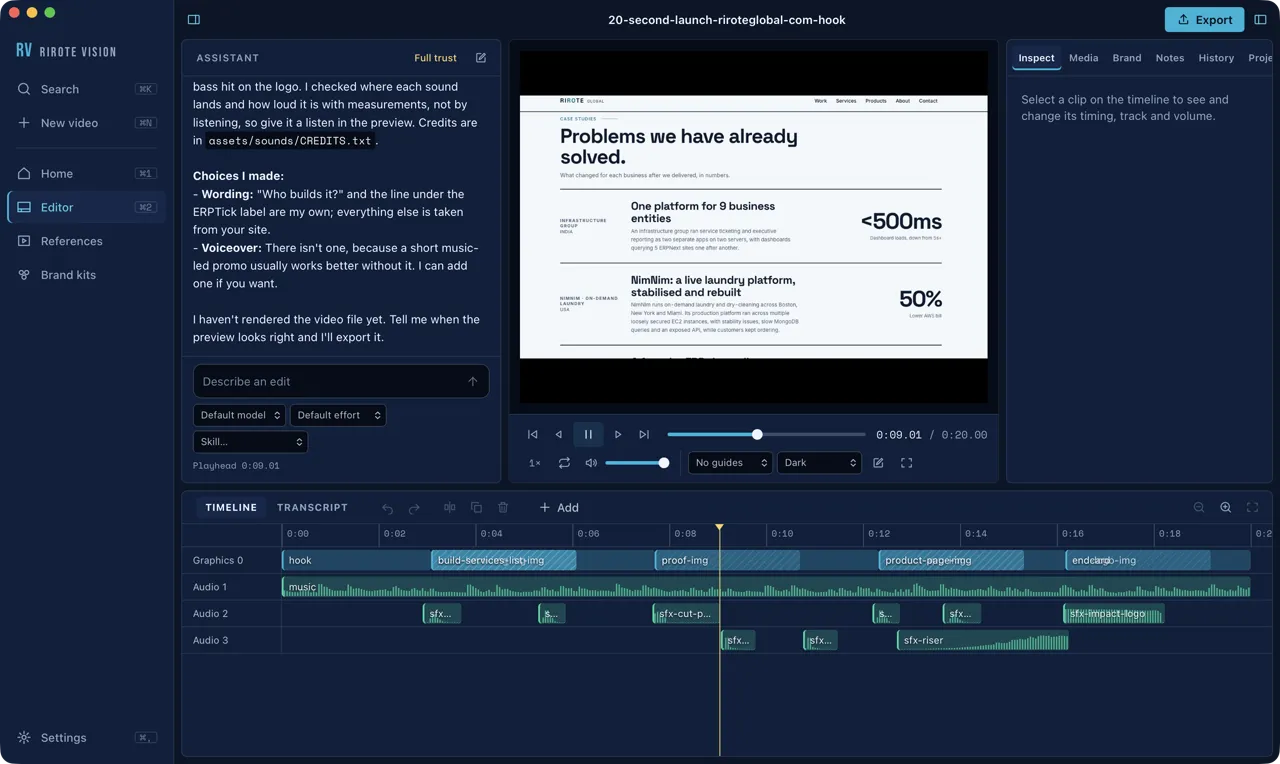
RIROTE VISION editor playing a 20-second launch video it built, with its timeline below.

What it does

  • Make a video from a sentence, a script or a reference video
  • Edit on a timeline, or cut by deleting words from the transcript
  • Voices, music, captions and cut-outs run on your Mac
  • Export MP4, MOV, WebM or GIF, checked before and after

How it works

Make a video from a sentence

Describe the video. The assistant plans the scenes, builds them with a music bed and timed sound effects, and shows you the timeline. In this clip it made a 20-second launch video from real screenshots of our site; the nine-minute build is sped up.

  • Portrait 9:16, landscape 16:9 or square 1:1
  • Start from a prompt, a script or a reference
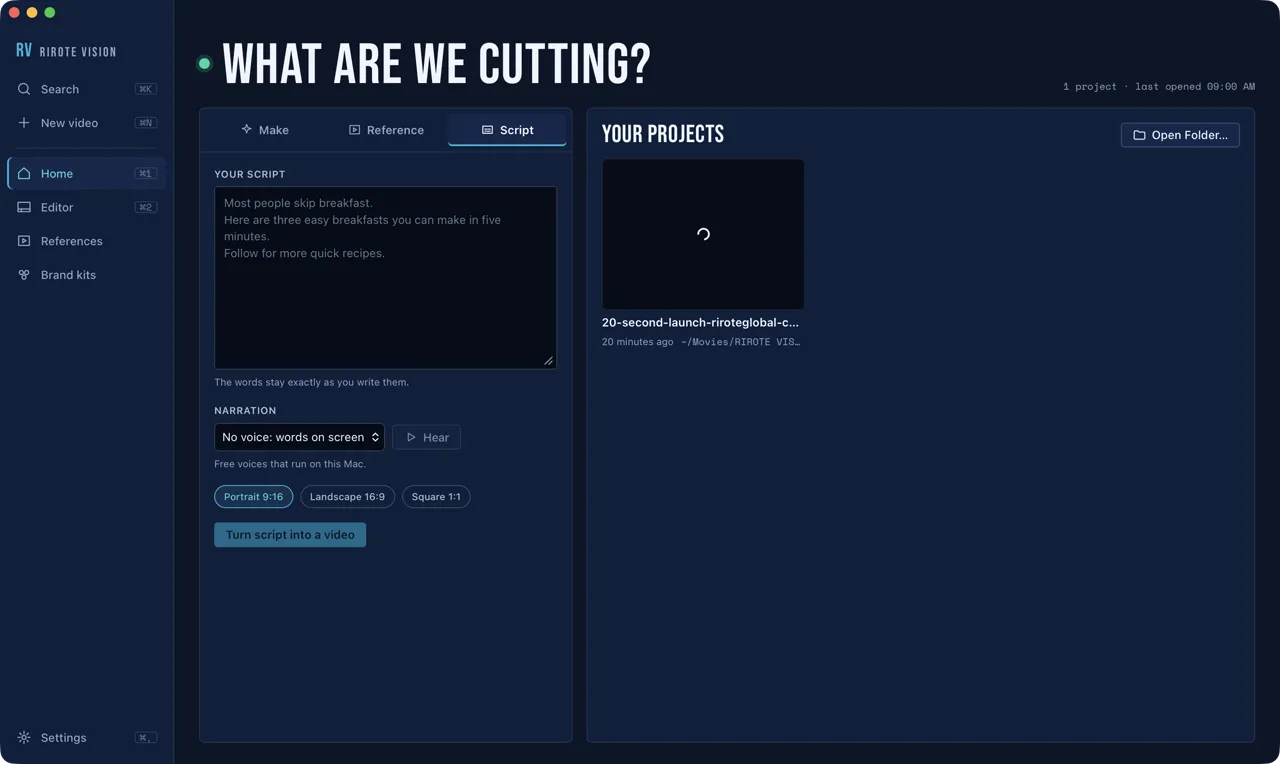
Start from your script

Paste your words and pick a voice, or keep the words on screen. The script stays exactly as you wrote it.

The Script tab: a script box, a narration choice and the video shape.

Learn a format from a video

Drop in a video or paste a link. The app finds its shots, transcribes the speech and works out the format: pacing, scene kinds, the hook and text on screen. Your video is then built new in that format; nothing of the reference is copied. Here it studies our own ERPTick promo, sped up.

Brand kits

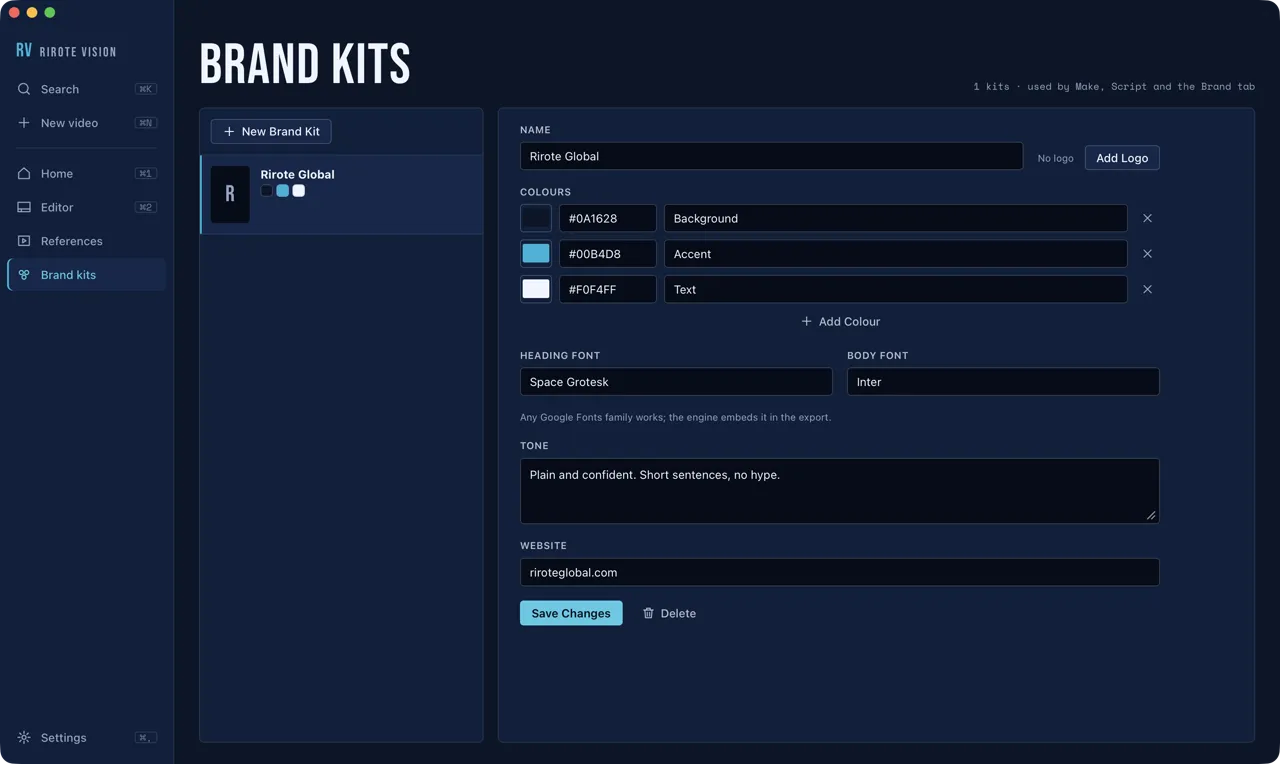
Keep a business's colours, fonts, logo and tone once, and apply them to any new or existing video.

A brand kit for Rirote Global with three colours, heading and body fonts, tone and website.

Edit on a real timeline

Drag clips to move them and drag edges to trim. Split, duplicate, delete, and change track, volume and speed. Every change can be undone.

  • Waveforms and filmstrips inside clips
  • A keyboard shortcut for every edit

Cut by deleting words

Transcribe a clip on your Mac, then select words to cut them from the video. Remove filler words and shorten long pauses in one click.

Captions, looks and ready-made blocks

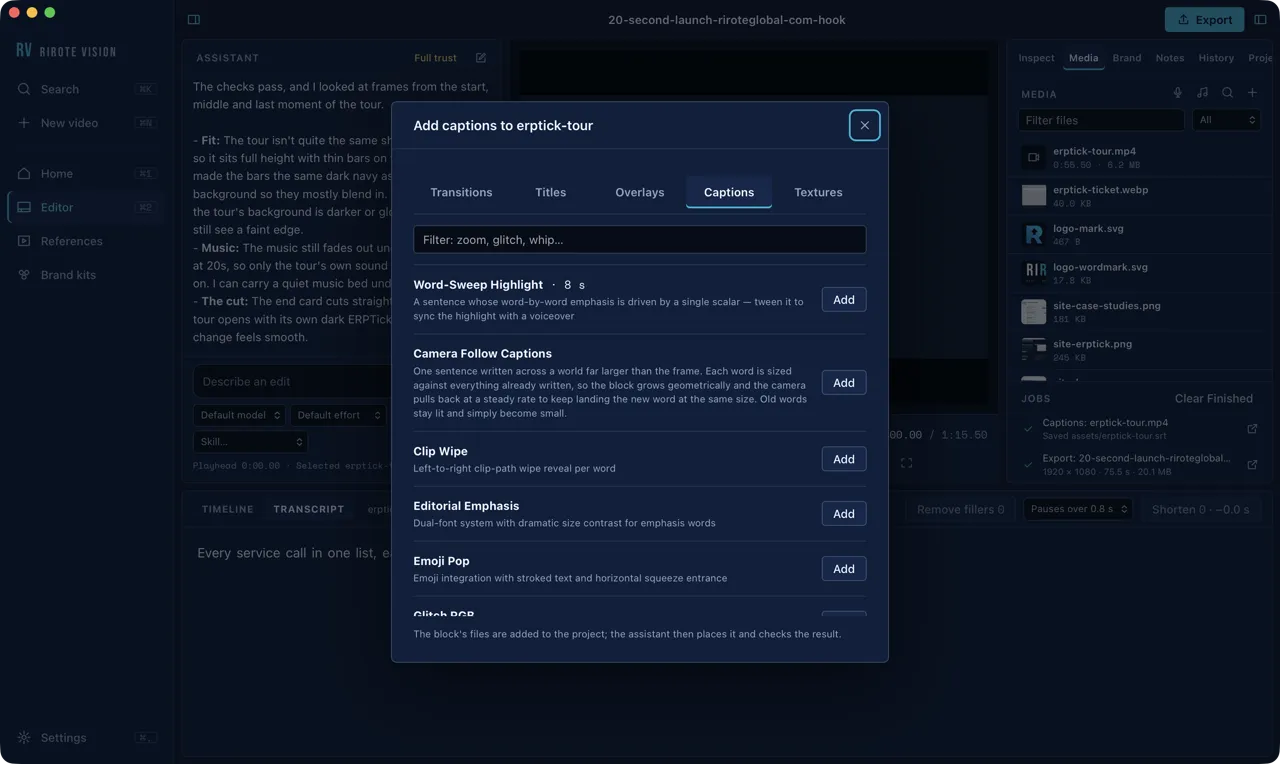
Captions made from the transcript in ready-made styles, tested colour looks for video and images, and transitions, titles, overlays and charts added to the project as editable source.

The captions library with styles such as Word-Sweep Highlight and Camera Follow Captions.

Voices, music and sound, free

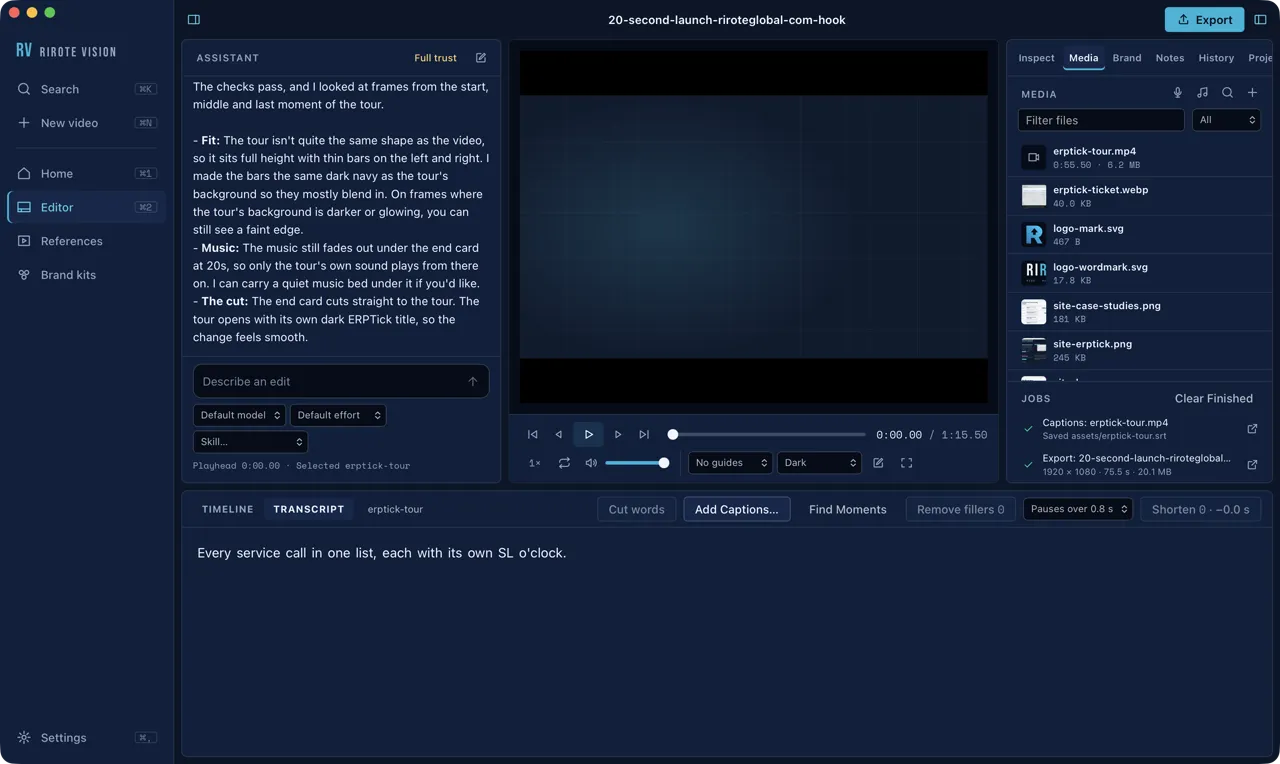
Free voices and music beds made on your Mac, sound effects and music from Openverse with each credit saved in the project, and background cut-outs for people in footage.

The media bin listing the project files, with finished jobs below.

Ask for any edit

Ask in plain words. The assistant works on the open project, explains its choices, and each request can be undone as one step from History. The wait is sped up here.

  • Choose how much it may do without asking
  • It uses free sources only, never a paid account

Export, checked

MP4, MOV, WebM or GIF, in draft, standard or delivery quality. The video is checked before rendering and verified after, and exports run in a queue while you keep editing. The render is sped up here.

Requirements

Mac
macOS 13 (Ventura) or later, on Apple Silicon or Intel. So far it has been tested on Apple Silicon.
Claude Code
Installed and signed in with your own paid Claude plan. Each request counts against your plan's usage.
Node.js, FFmpeg and Git
Used by the video engine. Check Setup finds them but cannot install them.
Disk space
About 120 MB for the video engine.
Internet
For the assistant, reference downloads and sound search. Voices, music, captions, cut-outs and exports run on your Mac.
Voiceover and musicOptional
About 400 MB, downloaded once from Check Setup.
Reference linksOptional
yt-dlp, installed from Check Setup.

Before you start

  1. Open the disk image and drag RIROTE VISION into Applications.
  2. The first time, macOS blocks it because the app is not signed by an Apple developer account. Open System Settings > Privacy & Security and click Open Anyway.
  3. In the app, choose RIROTE VISION > Check Setup and install the video engine and the video skills.
  4. Optionally install voiceover and music, and yt-dlp for reference links.
Download for Mac

Built on HyperFrames, which renders video from HTML. The assistant runs on Claude Code with your own sign-in, so the app stores no API key. RIROTE VISION is not affiliated with or endorsed by HeyGen (HyperFrames) or Anthropic (Claude), and using your Claude plan through it is subject to Anthropic’s terms.

Talk to Us

Want a tool like this built for you?

We build desktop and web apps with AI inside. Tell us what you need.

We get back to you as soon as we can, even if the answer is that someone else is a better fit.

What happens next

  • A person reads your message.
  • We reply with an honest answer.
  • If we can help, we agree the problem and the scope before any building starts.
info@riroteglobal.com

Jaipur, Rajasthan, India

By sending this form you agree to our Privacy Policy.